
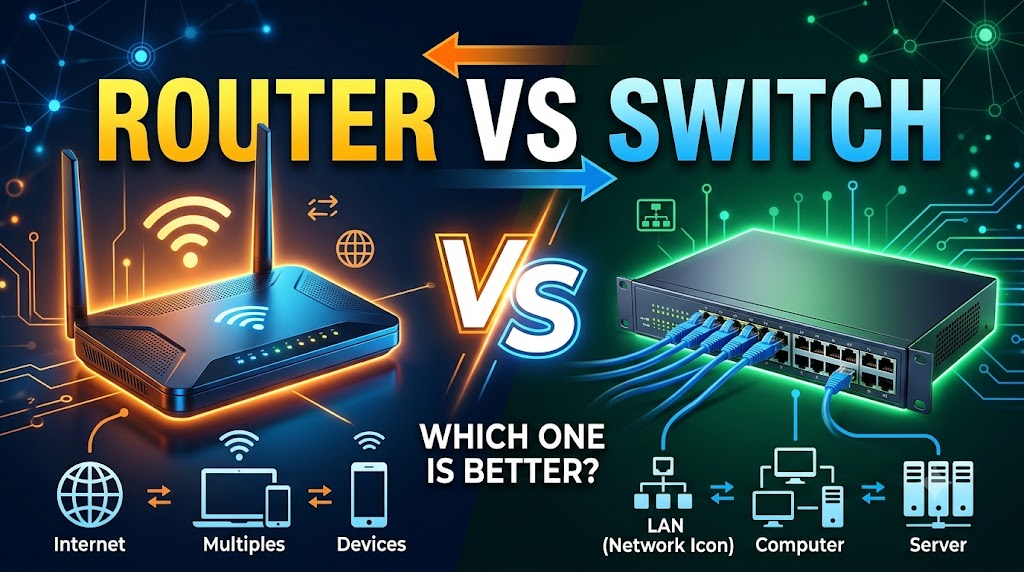
Router vs Switch
SEO Title: Router vs Switch: Which Networking Device Is Better?
Meta Title: Router vs Switch: Which Networking Device Is Better?
Meta Description: Learn the difference between a router and a switch, how each device works, where it is used, and which networking device you need for home, office, or business networks.
URL Slug: router-vs-switch-which-networking-device-is-better
Introduction: What Is a Router?
A router is a networking device designed to connect different networks and direct data packets between them. In a typical home network, a router connects local devices to the internet and allows multiple devices to share the same internet connection. Routers use IP addresses to determine where network traffic should go. Depending on the model and network setup, a router may also provide functions such as wireless connectivity, network address translation, firewall features, and traffic management. For internet access and communication between separate networks, a router performs a fundamentally different job from a network switch.
Introduction: What Is a Switch?
A network switch is primarily used to connect multiple devices within the same local area network (LAN). Computers, printers, servers, cameras, access points, and other Ethernet-enabled devices can connect to a switch and communicate with one another. A typical Layer 2 switch uses MAC addresses to determine which port should receive a data frame, allowing traffic to be forwarded to the intended device rather than being sent to every connected device. Switches are particularly useful when a network requires more wired Ethernet connections or when many devices need to communicate within the same local network.
Quick Comparison Table
| Feature | Router | Switch |
|---|---|---|
| Primary purpose | Connects different networks | Connects devices within a network |
| Main addressing | IP addresses | MAC addresses for typical Layer 2 switching |
| Connects to the internet | Yes | Usually through a router |
| Connects devices in a LAN | Yes, depending on design | Yes |
| Internet sharing | Yes | No, by itself |
| Adds Ethernet ports | Limited by model | Yes |
| Wireless capability | Common on home routers | Usually not built in |
| Typical use | Home internet, network-to-network communication | Expanding wired LAN connections |
| Main networking role | Routing | Switching |
| Best for | Internet access and connecting networks | Connecting multiple wired devices |
| Can replace the other? | No, not in general | No, not in general |
| Overall winner | Depends on purpose | Depends on purpose |
Router vs Switch: Main Difference
The most important difference between a router and a switch is what they connect.
A router connects different networks. For example, a home router can connect your local home network to the internet. It examines IP information and determines where packets should be forwarded.
A switch primarily connects devices within the same local network. It uses MAC addresses to identify connected devices and forward traffic through the appropriate Ethernet port.
In a common network, the two devices can work together rather than compete with each other:
Internet → Router → Switch → Computers, Printers, Cameras and Other Wired Devices
Cisco describes switches as devices that connect computers, printers, servers, and other devices, while routers connect networks and provide connectivity between networks and the internet.
🏆 Winner: Depends on User’s Needs
The router is the better choice when you need to connect your network to the internet or another network. The switch is the better choice when you need to connect more wired devices within an existing LAN.
Router vs Switch: How They Work
Router
A router receives network packets and determines where they need to go based on IP addressing and routing information. It can forward traffic between separate networks, such as a private local network and an internet connection.
For example, when a computer on your home network requests a website, the router handles traffic between the local network and the external network. This is one of the fundamental reasons a router is required for normal home internet connectivity.
Switch
A typical Layer 2 switch works primarily inside a LAN. It learns which MAC addresses are associated with its ports and uses that information to forward Ethernet frames toward the appropriate destination.
For example, if a computer, network printer, and CCTV system are connected to the same switch, the switch can provide the wired connections needed for those devices to communicate within the network.
Practical meaning:
A router decides where traffic should go between networks, while a switch helps move traffic between devices inside a network.
🏆 Winner: Tie — Different Jobs
Neither device is inherently better because their primary functions are different.
Router vs Switch: Internet Connectivity
Router
A router is designed to connect networks and can provide access from a local network to the internet. In a typical home setup, the router sits between the internet connection and the home’s local network. It allows multiple devices to use the same internet connection.
Switch
A standard network switch does not normally provide internet access by itself. Instead, it can connect wired devices to a network that already has a router or another device providing the required network connectivity.
For example:
Internet → Router → Switch → PC
The switch extends the wired network to additional devices, while the router provides the connection between the local network and the outside network.
Practical meaning:
If your main goal is to get your home or office network connected to the internet, a router is the relevant device. If you already have a router but need additional wired connections, a switch can be useful.
🏆 Winner: Router
Router vs Switch: Connecting Multiple Devices
Router
Many consumer routers include several Ethernet ports, allowing a limited number of wired devices to connect directly. The exact number and capabilities vary by model.
A wireless router can also provide Wi-Fi connectivity, allowing compatible devices such as smartphones, laptops, tablets, and smart devices to connect without Ethernet cables.
Switch
A switch is specifically useful when a network needs more wired Ethernet connections. An Ethernet switch can connect computers, printers, servers, IP cameras, access points, and other network devices.
Cisco notes that switches are used to connect devices such as computers, printers, and servers within a network.
Practical meaning:
If you have more wired devices than your router has available Ethernet ports, adding a switch can expand the number of physical network connections.
🏆 Winner: Switch
Router vs Switch: IP Address vs MAC Address
Router
Routers operate primarily with IP addresses when making routing decisions. IP addresses identify destinations at the network layer and allow traffic to move between different networks.
Switch
Traditional Layer 2 switches primarily use MAC addresses to forward Ethernet frames within a LAN. A switch maintains information about which devices are associated with its ports and uses that information when forwarding traffic.
There are also Layer 3 switches, which can perform routing functions using IP addresses. Therefore, saying that every switch works exclusively with MAC addresses would be inaccurate.
Practical meaning:
For basic networking, remember the distinction this way:
- Router → primarily routes using IP information
- Layer 2 Switch → primarily forwards using MAC information
- Layer 3 Switch → can also perform routing
🏆 Winner: Tie — Different Functions
Each device uses addressing appropriate to its networking role.
Router vs Switch: Network Expansion
Router
A router can connect different networks and is therefore important when creating or interconnecting separate network segments. In larger environments, routers may connect networks across different locations or network areas.
Switch
A switch is particularly useful for expanding the number of wired devices that can participate in a LAN. Multiple switches can also be used in larger networks to connect groups of devices.
Cisco explains that large networks can use multiple switches, with switches typically connected to a router for connectivity to other networks.
Practical meaning:
Use a router when you need to connect networks. Use switches when you need to build or expand the device connections within a network.
🏆 Winner: Depends on User’s Needs
Router vs Switch: Security Features
Router
Routers can provide network security functions, depending on the model and configuration. In consumer and business environments, routers may include features designed to control or protect traffic between networks. Cisco notes that routers can help protect information from outside security threats.
Switch
Switches can also provide security-related features, particularly managed and advanced switches. For example, managed switches can provide greater administrative control and support technologies such as VLANs. Modern switches can also include security capabilities that were traditionally handled by other network equipment.
However, security capabilities vary significantly between basic unmanaged switches, managed switches, Layer 3 switches, and routers.
Practical meaning:
Do not choose a router or switch based only on the assumption that one device is always more secure. The actual security features depend on the specific device and network configuration.
🏆 Winner: Depends on the Device and Configuration
Router vs Switch: Speed and Performance
Router
A router’s performance depends on factors such as its hardware, routing capabilities, network interfaces, wireless technology when applicable, and the traffic it needs to handle.
Switch
Switch performance depends on factors such as port speed, switching capacity, uplink capabilities, and the type of switch. Ethernet switches are available across a wide range of speeds and applications. Cisco notes that modern switches include multigigabit capabilities and are used across homes, businesses, and data centers.
It would therefore be misleading to say that a router is always faster than a switch or that a switch is always faster than a router.
Practical meaning:
Look at the actual specifications of the devices, including Ethernet port speed, uplink speed, wireless capability where applicable, and expected network workload.
🏆 Winner: Depends on the Model
Router vs Switch: Home Network
Router
For most homes with an internet connection, a router is the essential starting point. A typical home router can connect the local network to the internet and, depending on the model, provide Wi-Fi and several Ethernet connections.
Switch
A home user generally does not need a separate switch if the router already has enough Ethernet ports for all wired devices.
However, a switch becomes useful when you have many wired devices, such as:
- Desktop computers
- Network printers
- Smart TVs
- Game consoles
- IP cameras
- Network video recorders
- Wired access points
- Network storage devices
Practical meaning:
For a normal home internet connection, start with a suitable router. Add a switch only if you need additional wired Ethernet ports.
🏆 Winner: Router
Router vs Switch: Office and Business Networks
Router
A router is important in business networks because it can connect the internal network to other networks, including internet or WAN connections. It can also connect different network segments depending on the network architecture.
Switch
Switches are fundamental to wired business networks because they connect computers, printers, servers, phones, cameras, access points, and other devices. Larger networks may use many switches connected together and linked to routers.
Practical meaning:
A business network commonly needs both devices rather than choosing one instead of the other.
🏆 Winner: Tie — Both Are Important
Router vs Switch: Which One Do You Need?
Your choice should depend on what you are trying to accomplish.
Choose a Router If:
- You need internet connectivity.
- You need to connect different networks.
- You want multiple devices to share an internet connection.
- You need a home network with Wi-Fi.
- You need routing between networks.
Choose a Switch If:
- You already have a router or network connection.
- You need additional Ethernet ports.
- You have many wired devices.
- You need to connect computers, printers, cameras, servers, or other Ethernet devices within a LAN.
- You are expanding an existing wired network.
Choose Both If:
You have a larger wired network that needs internet connectivity and many Ethernet-connected devices.
A common arrangement is:
Internet → Router → Switch → Multiple Wired Devices
This is often the practical solution for offices, CCTV installations, computer labs, and other environments with many wired network devices.
🏆 Winner: Depends on User’s Needs
Router vs Switch: Can a Switch Replace a Router?
In a normal home network, a standard switch cannot simply replace a router.
A switch’s primary job is to connect devices within a LAN. A router performs the network-to-network routing required for communication between the local network and external networks such as the internet.
There are advanced Layer 3 switches that can perform routing functions, so the distinction is not absolute in enterprise networking. However, a basic Ethernet switch should not be considered a replacement for a home router.
🏆 Winner: Router for Internet Connectivity
Router vs Switch: Can a Router Replace a Switch?
A router may have multiple built-in Ethernet ports and can therefore provide some switching functionality for connected devices. However, the number of ports and capabilities depend on the specific router.
If you need many Ethernet connections, a dedicated switch is generally the more appropriate device for expanding the wired LAN.
🏆 Winner: Switch for Expanding Wired Connections
Router vs Switch: Which Is Better for CCTV Networks?
For an IP CCTV network, the answer depends on the overall setup.
A router may be needed to provide network connectivity and internet access, while a switch can connect multiple IP cameras, network video recorders, and other Ethernet devices.
In larger CCTV installations, switches are especially useful because many cameras require wired Ethernet connections. Depending on the equipment, features such as Power over Ethernet (PoE) may also be relevant.
The correct choice therefore depends on whether the requirement is internet/network routing or connecting multiple Ethernet devices.
🏆 Winner: Depends on User’s Needs
Router vs Switch: Which Is Better for a Computer Lab?
A computer lab with many wired computers generally benefits from network switches because switches provide multiple Ethernet ports for connecting the computers to the local network.
A router is still important if the lab needs internet access or communication with another network.
For example:
Internet → Router → Switches → Lab Computers
This setup allows the router to handle network connectivity while switches provide the wired connections for the computers.
🏆 Winner: Switch for Connecting Lab Computers
Router vs Switch: Pros and Cons
| Device | Advantages | Limitations |
|---|---|---|
| Router | Connects networks, provides internet connectivity, can support Wi-Fi, can provide network management/security features | Usually has fewer Ethernet ports than a dedicated switch |
| Switch | Connects many wired devices, expands Ethernet ports, efficient LAN connectivity | A basic switch does not replace a router for internet/network routing |
Final Comparison Table
| Category | Router | Switch | Winner |
|---|---|---|---|
| Internet connectivity | Yes | No, not by itself | 🏆 Router |
| Connecting different networks | Yes | Usually no | 🏆 Router |
| Connecting devices within a LAN | Yes, depending on design | Yes | 🏆 Switch |
| Adding Ethernet ports | Limited by model | Designed for this purpose | 🏆 Switch |
| IP-based routing | Yes | Layer 3 switches can | 🏆 Router for typical use |
| MAC-based LAN switching | May include switching functionality | Yes, for Layer 2 switches | 🏆 Switch |
| Home internet | Excellent fit | Not a replacement | 🏆 Router |
| Large wired network | Often required | Often required | 🏆 Tie |
| CCTV device connections | Possible | Particularly useful | 🏆 Switch |
| Computer lab | Needed for internet | Excellent for wired devices | 🏆 Depends |
| Network expansion | Connects networks | Expands wired LAN | 🏆 Depends |
| Security | Depends on router | Depends on switch | 🏆 Depends |
| Overall | Network-to-network connectivity | Device-to-device LAN connectivity | Depends on Needs |
Final Verdict
There is no single overall winner between a router and a switch because they solve different networking problems.
Choose a router if your main requirement is connecting your home or office network to the internet or connecting different networks. A router is the appropriate choice for normal internet sharing and network-to-network communication.
Choose a switch if you already have network connectivity but need to connect more wired devices or expand the Ethernet portion of your LAN. Switches are particularly useful for offices, computer labs, CCTV installations, servers, printers, and other environments with multiple wired devices.
For many real-world networks, the best answer is both. The router handles communication between networks, while the switch connects the many devices inside the local network.
Simple rule to remember:
Router = connects networks.
Switch = connects devices within a network.
Disclaimer
Networking equipment varies by model, manufacturer, configuration, and networking standard. This comparison explains the general roles of routers and switches and should not be treated as a recommendation for a specific network installation. For business, enterprise, or security-sensitive networks, check the manufacturer’s technical documentation and consider the requirements of the complete network design.